






Creating a workspace that promotes both focus and comfort is essential for productivity and overall well-being. Whether you work from home or in an office, a thoughtfully arranged desk setup can help you maintain concentration, reduce physical strain, and make your workday more enjoyable. In this post, we’ll explore effective tips to optimize your desk setup for better focus and comfort.
Why Your Desk Setup Matters
Your desk is more than just a surface to place your computer and papers. It plays a key role in how well you can focus, how comfortable you feel throughout the day, and even your long-term health. Poor ergonomics or clutter can lead to distractions, discomfort, and fatigue. By paying attention to how your desk is arranged, you can create a supportive environment that encourages productivity and keeps you comfortable.
Essential Desk Setup Tips
1. Choose the Right Desk and Chair
– Desk height: Your desk should allow your arms to rest comfortably at a 90-degree angle when typing or writing. Standard desk height is typically around 28 to 30 inches, but adjustable desks or sit-stand desks provide more flexibility.
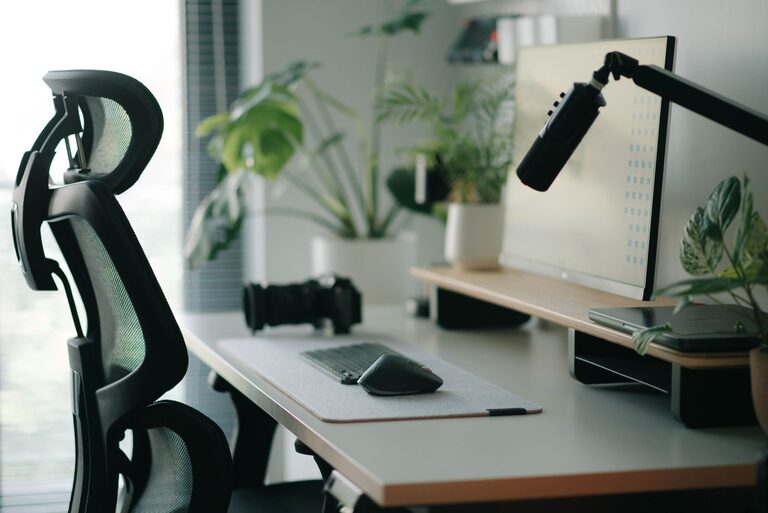
– Ergonomic chair: Invest in a chair that supports your lower back and promotes good posture. Look for adjustable height, armrests, and lumbar support features.
2. Position Your Monitor Correctly
– Eye level: The top of your monitor screen should be at or just below eye level to prevent neck strain.
– Distance: Place your monitor about an arm’s length away to reduce eye fatigue.
– Angle: Tilt the screen slightly upward or downward depending on your seating position to minimize glare and maintain comfort.
3. Optimize Keyboard and Mouse Placement
– Keep your keyboard and mouse close to avoid stretching or reaching.
– Use a wrist rest if needed to support your wrists and maintain a neutral position.
– Consider ergonomic keyboards and mice designed to reduce strain.
4. Organize Your Desk for Efficiency
– Declutter: Remove unnecessary items from your desk to reduce distractions.
– Storage solutions: Use drawers, shelves, or desk organizers to keep essential supplies within easy reach but out of the way.
– Daily essentials: Keep only frequently used items on your desk, like a notebook, pen, or phone charger.
5. Improve Lighting
– Position your desk near a source of natural light if possible, but avoid glare on your screen.
– Use adjustable desk lamps to provide focused lighting for reading or detailed tasks.
– Choose bulbs with a daylight color temperature (around 5000K) to reduce eye strain.
6. Add Personal Touches Thoughtfully
– Personal items like photos or plants can create a pleasant atmosphere but avoid overcrowding your desk.
– Plants also improve air quality and can have calming effects, enhancing your focus.
7. Encourage Movement and Breaks
– Use a sit-stand desk or take short breaks to stand and stretch throughout the day.
– Keep water nearby to stay hydrated and encourage regular movement.
Extra Tips for Comfort and Focus
Use Noise-Canceling Headphones or White Noise
If your workspace is noisy, consider noise-canceling headphones or playing white noise to help improve concentration.
Manage Cables and Wires
Tidy up cables using clips, sleeves, or cable boxes to keep your desk looking neat and prevent tripping hazards.
Incorporate Ergonomic Accessories
Accessories like footrests, monitor stands, or keyboard trays can help you find a comfortable position and maintain proper posture.
Conclusion
A well-organized and ergonomic desk setup can make a significant difference in your ability to focus and stay comfortable throughout the workday. Start by choosing the right furniture, positioning your tools thoughtfully, managing lighting, and maintaining a clutter-free environment. With these desk setup tips, you’ll create a workspace that helps you work smarter and feel better.